Inconsistent Naming
Files named differently across projects and teams — impossible to search, sort, or share reliably.
final_v2_FINAL_copy.jpglogo NEW (2).pnguntitled_export3.png
Works for images, videos, documents, and more. Perfect for anyone handling large volumes of files. Available for both Windows and Mac.
You know the chaos. Every project folder has the same story — and it costs you real time.
Files named differently across projects and teams — impossible to search, sort, or share reliably.
Renaming files one by one is tedious, error-prone, and a terrible use of anyone's time. It wastes hours that could be spent on real work.
Wrong file names break pipelines, confuse clients, and cause avoidable mistakes at the worst times.
If you're asking "how can I rename multiple files at once", TaxoFlow lets you rename hundreds of files instantly in three simple steps.
Add the folder path into TaxoFlow. Select hundreds at once — no limit on batch size.
Choose a saved preset, build a custom naming template, or let Smart Detection auto-fill file metadata for you.
See every rename before it happens. Confirm you're happy, then apply in one click. Done in seconds.
Built to handle real-world renaming scenarios — from simple find-and-replace to complex pattern-based automation.
Automatically reads file type, size, date created, and more. TaxoFlow fills in what you'd normally have to look up — making every rename rule more accurate with zero extra effort.
Create and save custom naming presets — date patterns, prefixes, sequential numbering, and more. Standardize your workflow so every project follows the same rules without thinking about it.
Built-in conflict detection means you'll never accidentally overwrite a file. TaxoFlow auto-increments names or skips existing ones, keeping your folders clean and error-free.
See exactly what every file will be renamed to before anything changes. Review the full list, adjust your rules, and only apply when everything looks right.
Rename hundreds or thousands of files simultaneously. TaxoFlow processes entire folders at once — including subfolders — without breaking a sweat or making you wait.
Native apps built for both platforms. Whether your team uses Windows or Mac, everyone gets the same fast, reliable experience — no compromises on either side.
"Renamed 500 RAW files in under a minute."
Every shoot dumps hundreds of files with names like DSC04821.NEF. TaxoFlow lets you rename them all by date, client, and sequence before your client even asks for the delivery.
"Consistent asset names across every project."
Standardize asset naming conventions across repos and design systems. Build a template once, apply it to every project — no more ad-hoc naming that breaks your pipelines.
"No more wrong-version deliveries."
Keep deliverables organized with structured naming that includes version, date, and format. Make it impossible to send the wrong file to a client or upload manager.
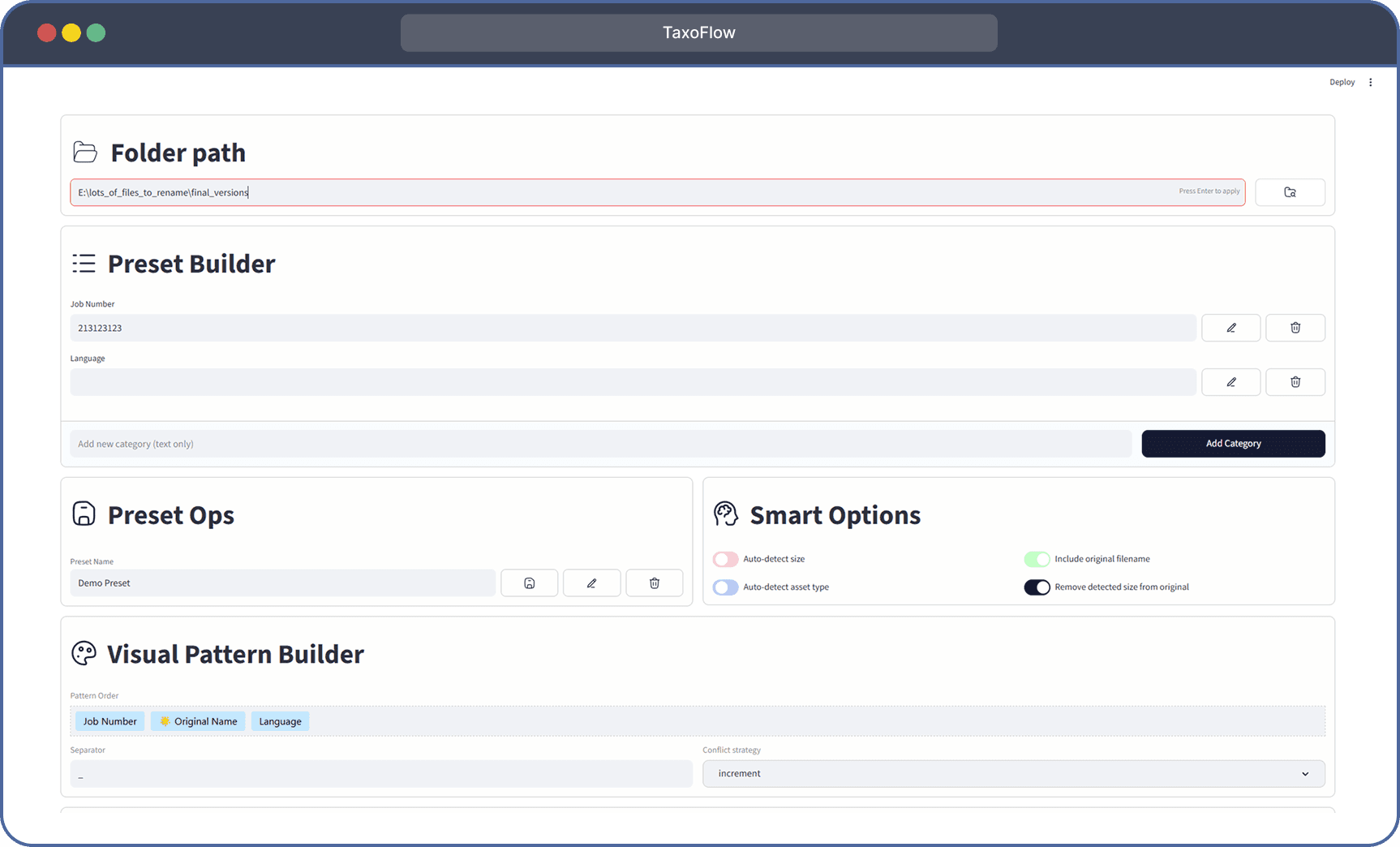
A quick look at the TaxoFlow interface — preset builder, smart detection, and live preview all in one window.
Join thousands of photographers, developers, and content teams who've made the switch. $4.99, once.
One-time purchase · No subscription · Lifetime updates · Works offline
Yes — $4.99 per platform, once. No subscriptions, no renewals, no tricks. You own the app and get all future updates at no extra cost.
All of them. TaxoFlow works with any file your operating system can handle — images (JPG, PNG, RAW, WEBP), videos (MP4, MOV, AVI), documents (PDF, DOCX, XLSX), audio files, code files, and more.
Yes, and we highly recommend it. TaxoFlow's Preview Mode shows you the exact old and new filenames side-by-side before anything is touched. You can refine your rules until it looks perfect, then apply in one click.
Yes. TaxoFlow supports recursive folder processing so you can rename files inside nested subdirectory structures in a single operation.
TaxoFlow's Conflict Handling catches this before it happens. You can choose to auto-increment duplicate names (file.jpg → file-1.jpg → file-2.jpg) or skip conflicting files entirely. Your folders stay clean and nothing gets overwritten.
Have more questions? Reach out at contact@taxoflow.net